Be yourself; Everyone else is already taken.
— Oscar Wilde.
This is the first post on my new blog. I’m just getting this new blog going, so stay tuned for more. Subscribe below to get notified when I post new updates.
Be yourself; Everyone else is already taken.
— Oscar Wilde.
This is the first post on my new blog. I’m just getting this new blog going, so stay tuned for more. Subscribe below to get notified when I post new updates.
This will be my final blog post. Yesterday, the final year interactive project exhibition was held. Although we all would’ve rather been gathered together in the library yesterday evening to witness each project come to life, we met over Zoom. I believe just under 60 people joined the chat, including the head of department and a lot of familiar faces between fellow students and past lecturers. One by one, a representative from each group introduced their project and gave the rest of us a preview of the work they had accomplished. I was extremely impressed by the quality of each project. Despite the interruption caused by Covid 19, each team managed to finish their project, all of them extremely impressive.
When it came to the presentation of our project, I was slightly nervous as the projects shown before ours – VR experiences & video games – were highly praised. Our project could be viewed as too simple, just a campus map?? However I was filled with relief as our video started to play and the positive feedback started to roll in. We had issues regarding the sound element of the video, however the music was not essential to our project. We left the link to our video in the chat so everyone could have a look at it after, if they pleased. The head of the department, along with Jeneen, Sarah Arnold and other Media lecturers all agreed the iMap could easily be implemented in the University. The other projects were all highly impressive too of course, but I believe our project stood out as it has the potential to be extremely beneficial to both staff and students at Maynooth. We have all experienced difficulty while trying to navigate the current Maynooth Campus map, Kylie Jarret even noted that the university was looking to improve and modernise it. Who knows, hopefully we may get to see iMap come to life in the near future.
To reflect on this overall experience, it has been a huge learning curve. I knew back in September that we as a team would encounter bumps in the road, however I don’t believe anybody predicted quite an obstacle like Covid 19. I began this journey worried about my level of skills when it came to coding – believing I would most likely be deigning a website. I was happy that I was able to explore and experiment with the concept of an interactive project. I could not have asked for a better team to work alongside either. Throughout my 3 years at Maynooth, I have worked on many group projects. Each experience has always included a level of conflict within the group – steamrollers, participants not pulling their weight, etc – which always added an unnecessary element of stress. But not this dream team. I can honestly say that over these past few months, I never once felt overwhelmed or annoyed in my group. If we had different ideas or opinions, we would not disregard or belittle the other, we worked together and explored every idea. This positive experience of group work has given me a great attitude towards working in a team environment after I graduate.
I also cannot thank our supervisor Javad enough for the attention he gave us throughout this project. The experience of having to work remotely at home, splitting up the group, was daunting at first. However, Javad was consistently reassuring us this project could adapt to suit the situation and he was always available over Teams if we ran into issues. I have gained a greater understanding of applications like Maya and Aftereffects which I had never used prior to final year. I had minimum experience with Photoshop in first year at Maynooth which has greatly developed over the past few months. I have also made some personal achievements whilst working on iMap. I used to have anxiety when I came to presenting or even simple things like answering a phonecall. Now, I am confident in my abilities to speak clearly and firmly to a room full of people. As well as this, the implications of Covid 19 meant I had to answer video calls over Teams and hold group meetings, all of which I have become extremely comfortable doing. I know these skills will stand to me in any career path as they allow me to put my best foot forward. You see, this project was not solely about the end result or adding something highly impressive to my portfolio. It was a giant learning curve. Yes, I am over the moon with the end result of our project which shows great potential to be transformed into a physical interactive map. But I am most happy with the knowledge and experiences I have gained throughout the entire process, which I can now bring forward into a career.
It’s finished. Our final year project has been completed and sent to our Supervisor. On Monday, we had a meeting with Javad to make any last minute adjustments and finishing touches to our animations and video. Our video covers every aspect of the project. It introduces the basic concept and where it would be located. I designed a logo with the title of the project, ‘iMap’, to be used in the introduction. I narrowed it down to two options and we all agreed the below was the most suitable. It is simplistic in design yet bright and colourful, similar to the map itself.
On Monday we also browsed ‘Bensounds’ for a royalty free song we could use over the video. We settled on one called ‘Dreams’. It is upbeat without a fast tempo giving it an overall happy/chill feeling. This was perfect to use as it wouldn’t distract viewers from the content of the video outlining our project. We wrote out a list of people involved in the project and appropriately worded the credits for the end.
I also worked on the animation to represent what the map would display when no body was interacting with it. Lucy, Niamh & I spent a lot of time thinking about what would ideally be displayed. Initially, we thought facts about the University was the route to take, however, after some research we realised there wouldn’t be enough content here. Also, if we were to just portray facts, users may mistake the iMap for merely a display in the Library. We wanted to invite users to step up and interact with the map. Therefore, we decided to keep it simple yet effective.
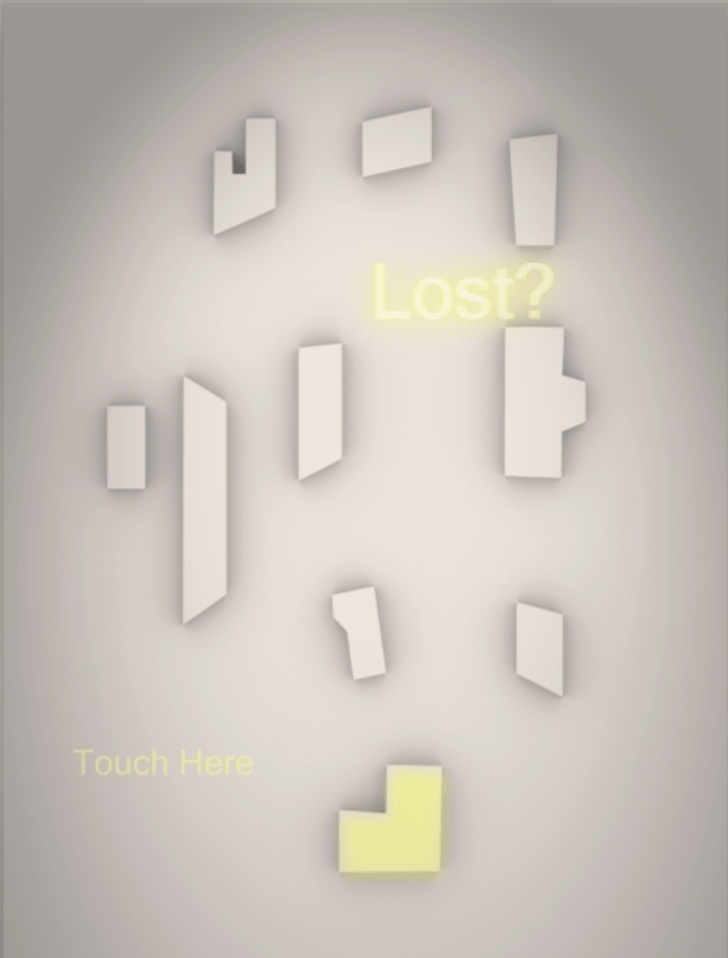
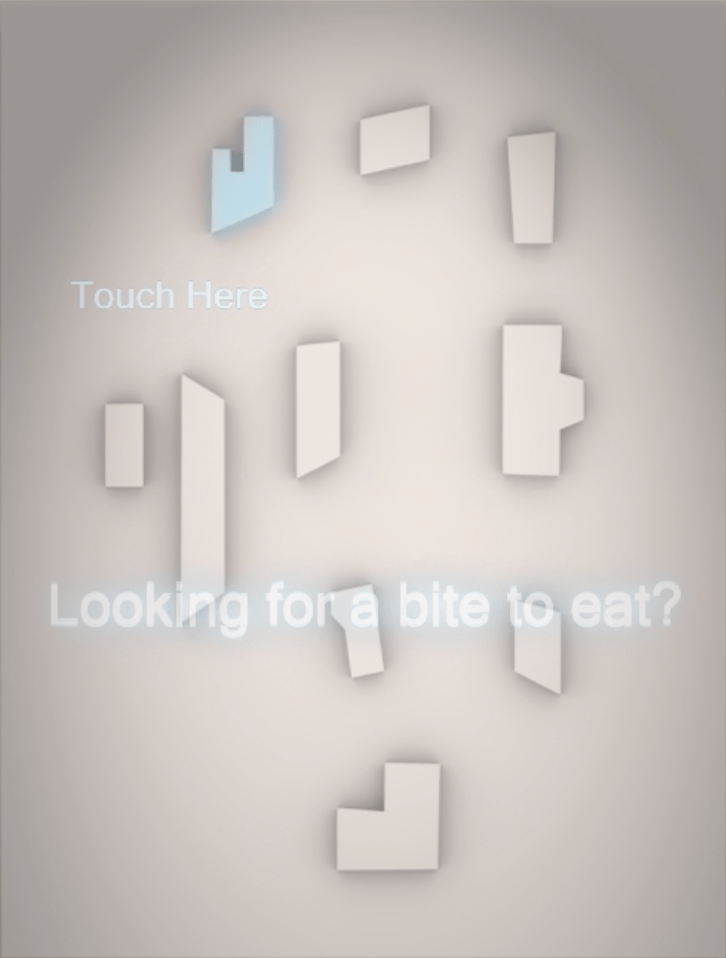
By highlighting buildings with a glow effect and displaying a ‘Touch Here’ feature, the map is inviting users to interact instantly. The accompanying phrases like ‘Lost?’ or ‘Looking for a bite to eat?’ inform users that the map can provide help and that it is indeed a campus map that can display directions! The glow effect used in a few of the animations for our video enhances the idea that the colours are being projected onto the surface.
This afternoon Javad, Lucy, Niamh & I met over Teams and finalised our video. Step by step, we brought together each animation and added some subtitles to describe what was happening in each scene. The video is 4 minutes long, and I think this is an ideal video length to present our project. The viewer’s attention shouldn’t start to shift as, in my biased opinion, the content is most definitely exciting enough to keep someone interested for a mere four minutes.
On Monday evening, an exhibition of all the final year Media student projects will be held. Of course, we all thought this would be held in the Library, surrounded by friends and family over drinks and nibbles. However, due to obvious circumstances, this exhibition will be a virtual one held over zoom. Hopefully everyone will still raise a glass to the achievements we have all made not just on these projects but over the course of the three years we spent in Maynooth. I am hugely looking forward to the evening myself and seeing all my peers’ projects. It has been a hectic past few weeks, and yes I am feeling a big sense of relief as I submit this project, but also a sense of pride at the work I have done through these particularly strange times. But this wasn’t a one woman show, I will miss my amazing team mates and appreciate all the support we have shown each other during this final year.
We have just over a week until our Project is due and it’s all finally coming together. Javad has been a huge help this past week. He has given us lots of guidance and allocated his free time to helping us. I began the AfterEffects animation on the new 3D map design for our video. I video chatted Lucy and Niamh on Tuesday to show them exactly what to do. We all want to do our part, which is great, but our work needs to be consistent with each other’s progress so we don’t alter the flow of the animation. My part of the animation went smoothly, however we ran into some issues when I tried to send them the AfterEffects file…
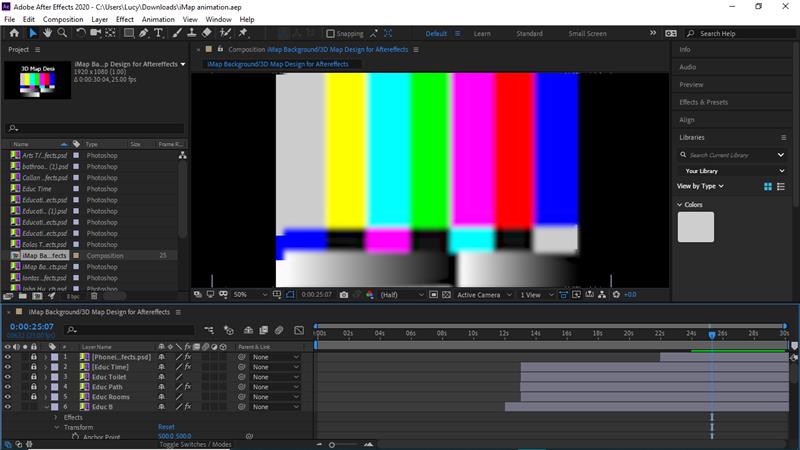
Above is what Lucy & Niamh encountered when they opened the file. I did everything correctly – Javad had reminded me to send all the dependencies so it would work. We seemed to try everything; zipping the file, sending the folder etc yet it still wouldn’t open properly. We quickly emailed Javad who assured us it is a simply process which only confused us – What was the problem? Javad thankfully offered to call us the following day and walk us through it. Everything was how I had done it the previous day yet, Ta-Da, it works this time! None of us knew what the issue could’ve been but we don’t care as long as it works now.
Lucy has began her part of the animation and I walked her through it step by step as she asked for my help. All that is left to be done regarding the animation is Niamh’s part and a segment to show what the map will display whilst not in use. The girls and I played with the idea of projecting fun facts and news about Maynooth University while the map isn’t being used. However, after some research, there isn’t a lot of resources regarding the University News. This may be due to the current Pandemic but the three of us agreed there isn’t enough substance there. Instead, we hope to display a loop animation of the building colours and names. It is a simplistic idea but we have put much thought into the choice – The map would be located in the Library, a busy hub for students. The projection of colours and building names on the map can intrigue them with minimal distraction. It will also seem more interactive and appealing. We will probably add a ‘Touch Here’ feature while the map is not in use, inviting users over. We also put a lot of work into the colour choices and design of the whole map. It would be nice to show this in our Project video within this feature.
I worked on the virtual room over the weekend. I positioned everything and added colour to the new projector. I have tested out many materials in the scene for the wall and floor – concrete, wood, brick, plastic and tile. However, none of these seem to fit nicely into the space. Therefore, I reevaluated the materials and have decided to use a more simplistic and not as realistic material. The realistic textures take away from the focal point of the room – the map. I have a meeting with Javad on Friday evening to examine the Maya scene and hopefully put together the clip for the final video. Hopefully he can show me how to incorporate subtitles/text bubbles into the scene to explain our layout and overall design idea. We have just over a week to put this all together, I really hope we don’t run into any major issues between now and then.
So we are nearing the end of our final semester. The deadline for our project has been set for just over two weeks away. The girls and I have had many Teams meetings to progress as quickly as possible. Yesterday, we had a Video Chat with Javad to discuss the beta version briefly and confirm where we are with the final version. We began contemplating how we’d like to present the project at the exhibition in May.
Javad was extremely helpful yesterday, even scheduling a second call that evening where he showed the three of us how to navigate 3D studio max. I have some experience with Maya on my Mac. The applications are very similar but 3D Studio Max seems much easier to navigate. Unfortunately, Javad informed me that it can’t be downloaded/accessed on Apple devices. This was disappointing but I will manage with Maya – it’ll probably just take a little more time.
Our plan of action always seems to change slightly after meeting with Javad. Before our call yesterday, It was arranged that Lucy & Niamh would work away on the design and animation of the project while I built the virtual 3D room and map in Maya. This room is going to be used to demonstrate how our project could have looked in reality. I have already modelled some objects like a table, floor and wall for the room.
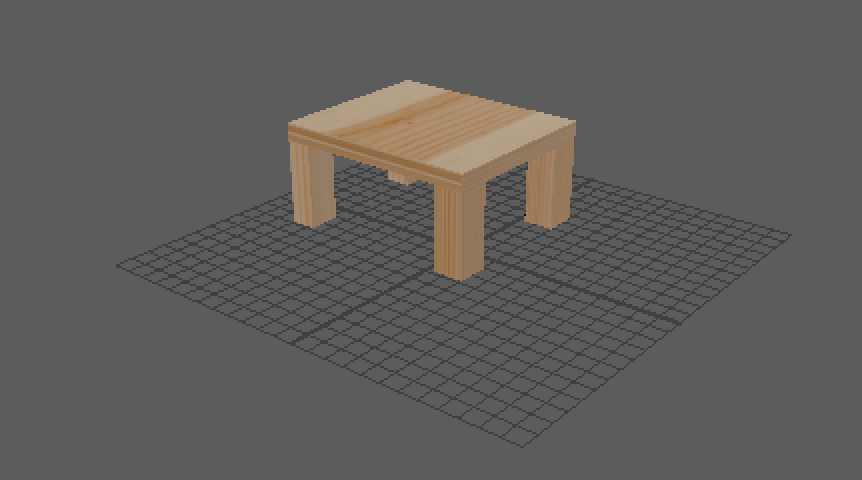
However, the plan has been altered a tad. The creation of the room won’t take me as long as initially expected after Javad’s guidance and advice in this area. Yesterday evening we were able to create the 3D map based on our photoshop design.
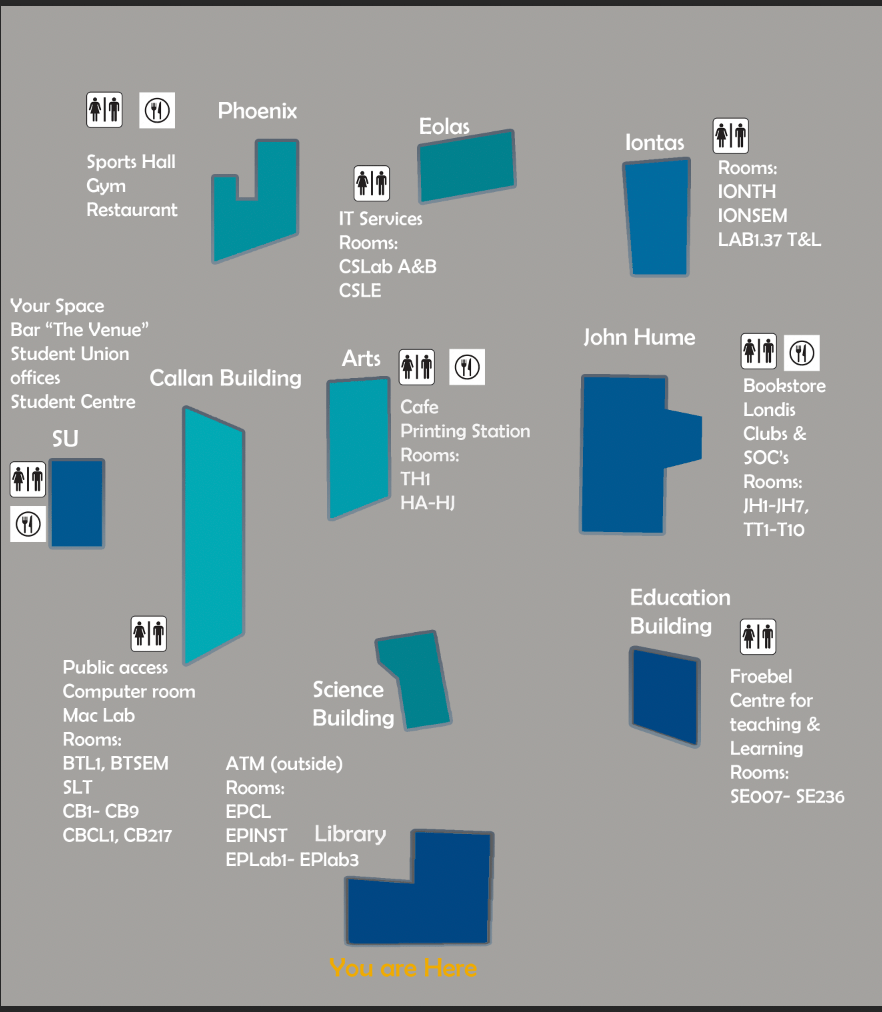
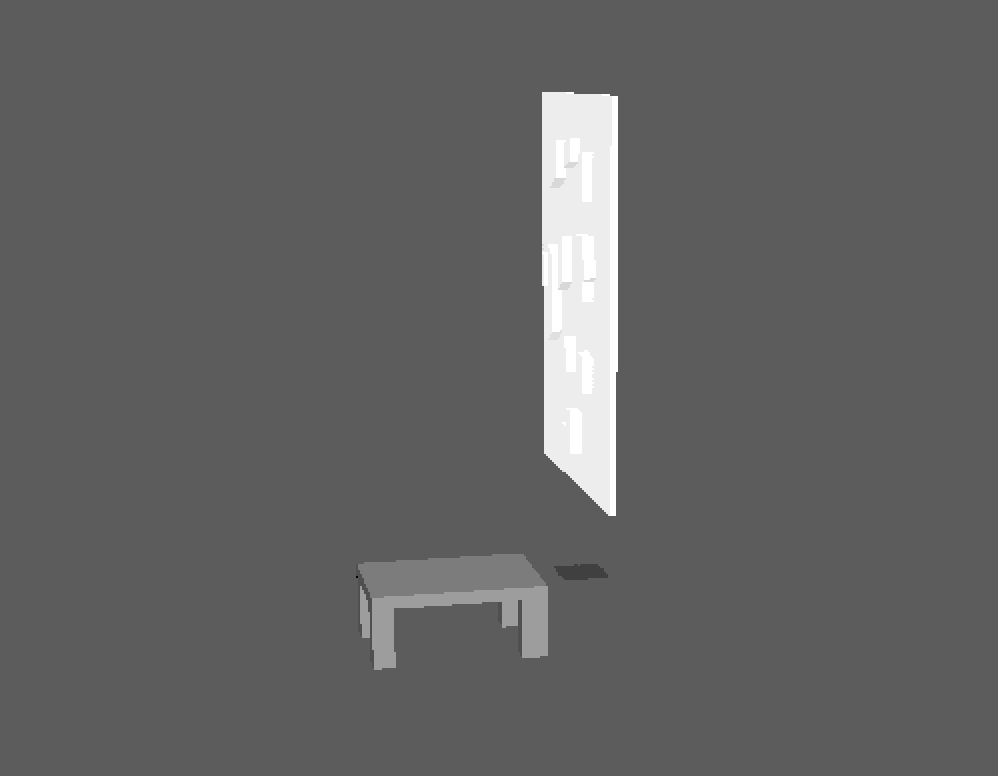
I have gradually started to import each object into the same scene to build the room. Once this is completed, Javad will hopefully demonstrate how to create a video/animation of the room. This will have the affect of a room tour. We plan to add text bubbles throughout the video, describing and explaining the details and thought process behind our idea. I have used Aftereffects to create short animations in the past. However I don’t think Aftereffects will work well with the Maya designed room but I will wait for Javad’s advice in this area.
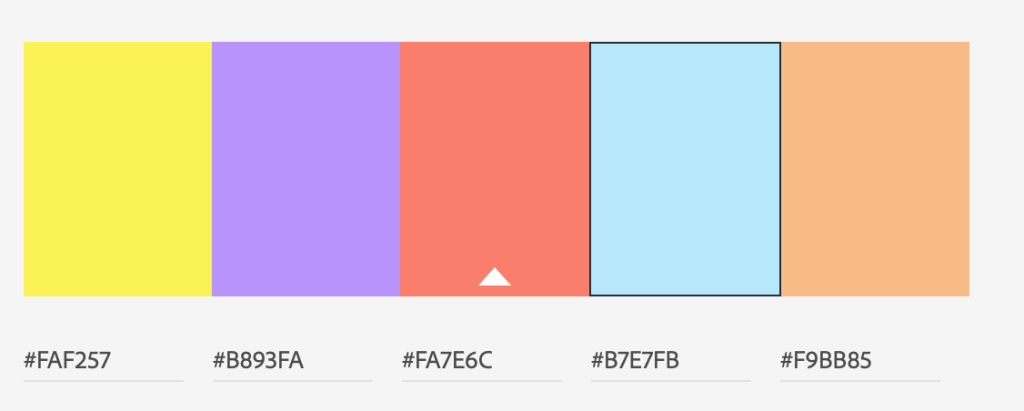
In the meantime, my teammates and I have reevaluated our colour scheme. We initially went with the various shades of blue as they are representative of Maynooth University’s colours. However, if we were using this colours in a real projection mapping project, they wouldn’t work well. Therefore we have leaned towards more vibrant colours to be shone on the buildings. Using Adobe Colour we settled on the below array of colours. We will probably reevaluate or adjust one or two of the choices as we start animating the map. It will most likely be a case of trial and error.
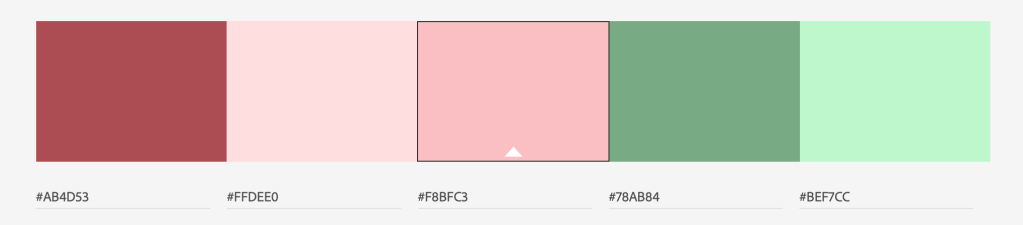
As my role of modelling in Maya seems to be nearly finished, I will help my teammates with the animation process. As neither of them have used Aftereffects before, I will try to show them the basics. My own skills in Aftereffects are minimal but I know the key concepts. In the next few days, before our meeting with Javad, we will have a Teams meeting where I will share my screen and go through the Aftereffects process. The video chats have been very beneficial while we have had to move to remote working. Of course if we were still on campus, the girls and I would be able to work in the same room in front of the same computer. However, there is a benefit to this overall situation. Because Adobe has made their applications available to all students, we can work outside of regular hours on the project. We don’t have to work around an allocation of three hours a week to meet up and work together. We have the freedom to work at 8am or 8pm if we like.
Our goal this week is to get the animation of the map started with the user interaction experience in mind. We carefully selected what information will be projected onto the map beside each building. As we are students ourselves and this project is, at it’s core, designed for the benefit of Maynooth students, we have a huge sense of what the user will want to see. This is mainly room codes, bathrooms, and cafe/restaurants. As most students will be using a map to discover where their next lecture is, we have also incorporated the element of time. When a user chooses a building, the map will show them exactly how long it will take them to walk there and which path is quickest. Before the animation process begins we hope to make any minor adjustments, like building scale and map size.
Over the past two weeks the team has been adapting our project plan and format due to the pandemic. Of course, this is not an ideal situation but we are doing our best with what we have. Adobe recently made their applications free to download for all students. I was able to download Photoshop, Affecteffects and Media encoder so I could work away on the project. Thankfully, Lucy and Niamh were able to do the same. We have had to make some changes obviously not only to the end product but also the production process of this project. Our projection mapping plan had to be somewhat scrapped. The majority of the semester was spent working on design but also, researching and sourcing materials, locating a projector to use and a space to build the map. In a way, this preparation and multiple tests with the projector was for nothing. Even a key element of our design process has been lost – the Wacomb tablets. We had decided on a hand drawn style – hence the tablets were perfect for this. Since college has become remote, the team will not have access to any of the tablets in the college. Javad had planned to try posting it to me but the college campus has completely shut down, making this impossible. I don’t mean to sound pessimistic through this process but it has been a massive change for everyone and a period of uncertainty for us – What would our project become? Would we have to start from scratch?
Lucy, Niamh and I have had multiple meetings via Video chat on Teams, some with Javad, to create an alternative plan of action. Javad assured us that we wouldn’t have to lose the essence of this project if we were clever with our execution. Hence the Projection Map 2.0 plan was born. Through apps like Photoshop, Affecteffects and Maya, we could create a virtual presentation of what our project could have looked like if we had gotten the chance to physically build and present it. We could portray our ambition and plan in a virtual setting. Of course, this won’t be a walk in the park. Our team is separated and therefore spreading out the workload may become an issue. I have some basic experience with Affecteffects and I’m currently learning how to navigate Maya. Recently, on video calls with Javad it seems as though the work kept being redirected to me as I’m more familiar with the apps than Lucy and Niamh. This gradually started causing me stress and weight to pile up on my shoulders. I know the girls will collaborate on the design aspects of the map in Photoshop but it seemed as though the entire animation and 3D construction was being left to me. After expressing this to my team members, they completely understood where I was coming from and noted they wouldn’t have an issue learning the principles of Aftereffects to help out with the animation of this design. This has put my mind at ease however, I think it will be difficult to collaborate on the project as we cannot all work on the same document at the same time or be in the same room together to discuss. So, throughout the next few weeks while putting together our final version, I think it would be beneficial to have more Teams meetings. This way, for example, while one of us works on the photoshop design, we can share screens and be apart of the process. Visi-versa when working in Affecteffects or Maya.
We are planning to submit our beta version this evening which consists of – an image of the basic map design, an image of the information we want portrayed on the map and a short example animation. I will admit, these images could come across as too simple or rough to Jeneen and Javad. However, I hope they’ll appreciate that we have had to make many alterations in these few weeks and it still isn’t the end result! This project was never fully about the end result anyway, but about the massive learning curve we would face. We are not at the end of this process yet but we have already overcome many obstacles, adapting at the best rate we can.
I must address the elephant in the room – Covid-19. The spread of this virus has not only closed the Maynooth campus & suspended lectures for the foreseeable future, it has also put our project in a state of uncertainty. Although many lectures are being moved online so we can progress, this isn’t really an option for MD318. Our hands are tied without access to the Mac lab & Adobe software.
Nevertheless, before the announcement of campus closure this week, Niamh, Lucy & I all met on Tuesday to work on the project. I finished a short animation using the Wacom tablet, Photoshop & Aftereffects. I created it as a rough module to be used with our Beta version. As I finished this animation and exported it, Niamh & Lucy worked on design ideas for the final version. We all discussed what needs to be done over the next few weeks – look into 3D design, laser cutting facilities, what information we want to portray in this design. We decided last week to use white painted wood as our material to project onto, now we are exploring the idea of having shapes cut out to stand in as the campus buildings to be projected onto.
I will admit, I was fairly frustrated when my fellow team members suggested we develop an app to accompany our projection map. Lucy expressed how she thought the project would be ‘too boring’ as a projection alone. My frustration stemmed from the fact that I was truly excited at the idea of an interactive map and so evidently disappointed when we were advised to stick to projection mapping and forget about the BareConductive kit. My team members seemed content with this change of plan, and although I voiced my disappointment, I agreed to a purely projection project. To think this was merely two weeks ago when we made the change and now they believed it to be too simple or boring? I was starting to feel conflicted in the group. An app would require a LOT of planning and development on top of the projection map. It’s also way too late in the semester to start making drastic changes such as introducing an entirely new project.
Luckily, after chatting to Javad, he was able to show the girls that this project will be far from boring if we have the right perspective and see the possibilities it will open up. As Javad stated at the very beginning of this process, this project os about the creative process rather than achieving the perfect end result. We should be focusing on the places this project could go rather than ‘how boring’ it will be compared to everyone else’s project. Yes, we are not designing a website or VR experience. But just because our idea is different to everyone else’s, definitely doesn’t mean it isn’t as impressive. If anything, being different in this course will simply make us stand out more in the end. I understand where the girl’s frustration is stemming from, our project has changed drastically from the first idea – a website regarding global warming. But in the real world we need to be adaptable, capable of rolling with the punches. This entire project process will be a learning curve which will stick to us in future jobs etc.
This week the girls and I accepted that we would be producing a projection based project without the interactive board. We focused on finding the most suitable material to project onto and our design. We borrowed the projector from Mark who said we could keep it for the foreseeable future – or until he needed it back. This was great news at we would constantly have it at our disposal whenever we needed. While setting it up ourselves we had trouble with the connection although the projector itself worked perfectly despite being an old model. Unfortunately none of us had the correct output for the connector on any of our laptops or even the Macs. Thankfully, in the lab on Tuesday, Jack was able to successfully connect it to his own Microsoft laptop so we could carry out a proper test.
We practiced projecting onto many different surfaces. As you will see above, we attempted to project onto a white board. The overall display was clear and bright. However, there was an expected glare from the lens against the shiny surface. But, we may test this surface again but from a greater distance as the projector may have simply been too close.
We projected onto many surfaces such as metal, white brick, wood and paper. The surface material we found to be most affective however, was white painted wood. It had no glare and the image was presented clearly. The material is also sturdy enough to paint on and move around. Paper was not bad but a little too transparent. Perhaps we will play around with thicker types of paper or card if painted wood falls short.
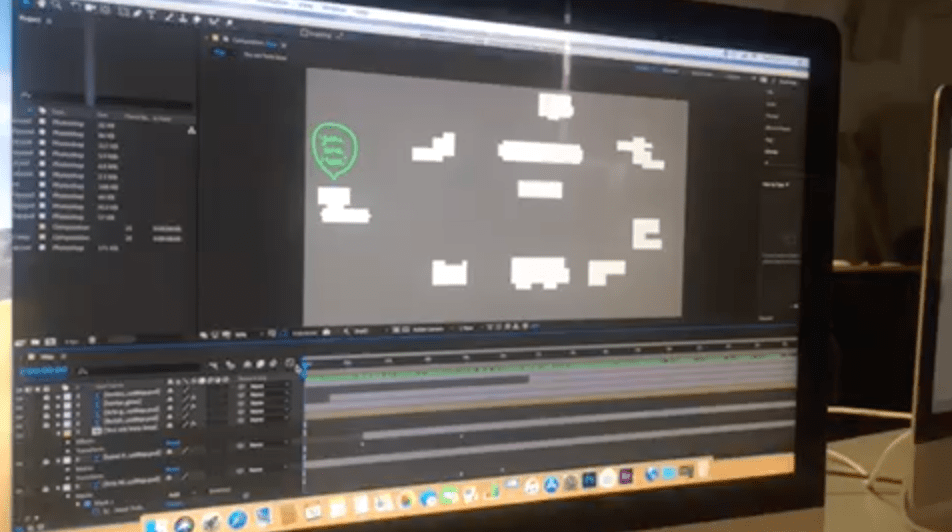
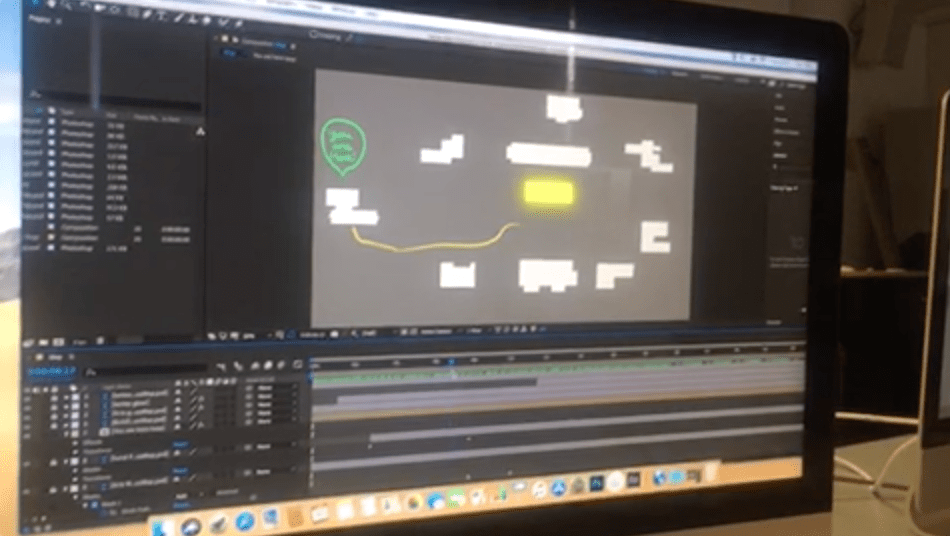
The design aspects of things are developing very slowly. The three of us have a vague knowledge around adobe software such as photoshop or animate. Javad introduced me to Aftereffects last week as he thought it would work best to animate my design ideas. I watched a few tutorials to learn more as we didn’t have much time last week. However, Javad was absent this week and I really struggled with the application. Therefore, the animation of our design has come to a bit of a standstill. Fingers crossed Javad will be able to help me next Tuesday and I can get the animation up and running in time for our beta version.
On Tuesday I met up with Lucy & Niamh in the Mac lab which is becoming a routine of ours. Javad is usually there at the same time, saving us from arranging other meetings. This week we wanted to hit the ground running and start ordering supplies ASAP. I had emailed Javad enquiring about when we could begin ordering the Interactive Kit after we had conversed with Bare Conductive via email. We had added up all of our estimated costs and put together a rough budget. Javad informed me on Monday evening that we could indeed begin ordering equipment as soon as we pleased. When we all met in the Mac Lab on Tuesday however, Javad told us we actually had to send these details to him, and he would send these onto Jeneen who would then discuss with the Department etc, etc. This felt as if we were taking one step forward and two steps backward. I am very conscious that my peers are all working away, developing their projects as it is week 3 of final semester. Although my group are all working dilligently together to get this project completed, there are only so many emails we can send in a day. We want to start BUILDING this Interactive wall. The more time that passes without us having our materials to work with, the more anxious I get that we’ll end up rushing this project. Javad then suggested we make a change – drop the touch feature and make it purely a projection mapping project. It’s safe to say this made my head melt. The entire module is called ‘Interactive Project’. Without the user having access to a touch element, how will we even be marked? I completely appreciate and understand that Javad is our group Supervisor who has much more experience than any of us students. But are we risking our own grade by dropping the key element of the project – the interactivity?? On Thursday Javad emailed the three of us to say Jeneen would accept the project without the interactivity aspect. At the start of next week I plan to discuss this further with the girls and Javad. This is the biggest project I have had throughout my three years at Maynooth, I want to do well. I’m also filled with confusion as last semester, Jeneen, Javad and Jack all seemed content and intrigued by our project proposal of an interactive wall. Why is the idea of dropping the interactivity only being brought up now?
Lucy, Niamh & I met on Tuesday in the Mac labs to discuss what stage we are at with the project and to see if Lucy had gotten any email replies. Conveniently, Javad was also there so we were able to discuss further with him. Lucy had received a reply from Bare Conductive, the company that sells the Interactive wall kits. Unfortunately, they were unable to answer a lot of our questions and referred us to their Q/A page. Lucy had checked it out and advised there were some tips that could come in useful as we build the project so at least we have somewhere to revert to if we run into any issues! Thankfully they did recommend a suitable projector. I suggested Lucy should forward the email onto Jack, our tutor, as we had recently enquired about the projectors available to us in the college already – hopefully the department has this specific one! I went into our meeting on Tuesday with the hope of sorting out what we need to order, finding out what is already available to us and what we can start working on in the meantime. Jack had mentioned the college already has access to the software ‘Mad Mapper’ which we can use for the project. However, we couldn’t find the application on the Macs and honestly, I started to worry. To add ‘Mad Mapper’ onto the list of things to order would add roughly another €250-300 to our budget. I understand the money will not be coming out of my pocket, however asking the department to fund our project could be a small leap of faith that they may not want to take. If our Interactive Map costs €800-1000 to create, it may be asking a lot – especially if they cannot reuse the equipment (as Javad has pointed out). If the project is a success, the college will definitely benefit from it as it is designed to aid students. Although, as we all know, issues will always arise. What if the project is a failure and the money goes to waste? We have to get this right. Jack has assured us the college definitely has had access to ‘Mad Mapper’ in the past and he is currently looking into it for us. While my group awaits answers from the department, The girls and I are going to work away on the design aspects of the map. Luckily, I am studying animation this semester with Javad as my lecturer. With newfound access to ‘Wacom’ sketch boards, creating visuals on the Macs has become so much easier. Using these boards to design the map will benefit not only the project, but improve my skills for my other module! Two birds, one stone?
In the first week back after the break, Lucy, Niamh & I met with Javad and he suggested we start emailing Bare Conductive and other creators or companies that have dealt with Interactive/Projection mapping. It was slightly worrying when Javad mentioned he has never worked with Interactive mapping and it will be a new concept to everyone. Other students are working with equipment and software that most of the tutors & supervisors would be literate in, Interactive mapping is a different ball game all together. However, despite the slight anxiety surrounding the newness of the project, I’m filled with a lot of excitement. This is something no student has proposed nor attempted before. There will be curiosity and interest surrounding this project as we work on it this semester. I wrote up a list of possible people to contact and some points to query with them – What materials are best to use, what software they recommend using, any chance of a student discount, etc… I shared these points with the other two girls and Lucy informed us she would send out a few emails over the weekend. I would have had no issue typing up the emails either, but it was a nice & helpful gesture on Lucy’s part. I’ve worked on group projects before where members have failed to pull their weight and I have had to pick up the pieces. As a result, the idea of group work can sometimes seem overwhelming to me. However, I’m completely at ease working with Niamh and Lucy as we always match each other’s efforts and respect everyone’s opinions. This small action just confirmed that this semester will be no different. I’m excited for the months ahead and to bring this project to life!

 Emer's Interactive Project Blog